








i-tec USB 3.2 Gen 1 (3.1 Gen 1) Type-C Docking Station for Notebook|Tablet|Smartphone|Monitor
Inhouse product




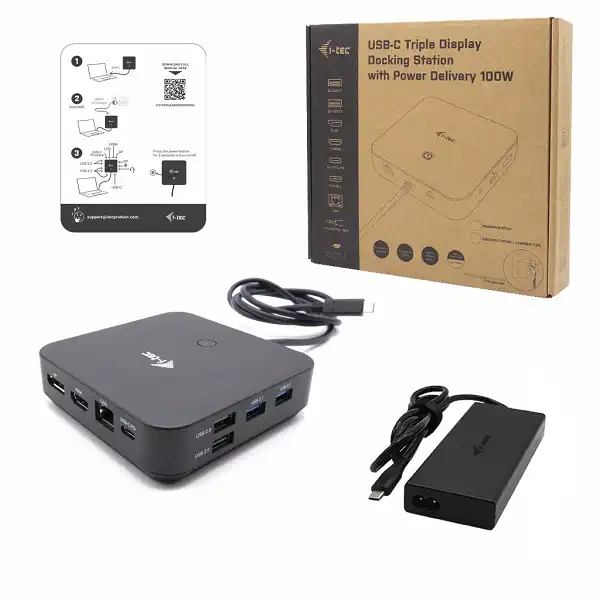
i-tec USB-C HDMI Dual DP Docking Station with Power Delivery 100 W + i-tec Universal Charger 100 W
With Power Delivery of 100W and the added bonus of the i-tec Universal Charger, you'll have everything you need to power up your devices effortlessly. Streamline your workspace and enhance productivity with this versatile docking station that supports HDMI and Dual DP outputs. Upgrade your setup today for a seamless and efficient experience.
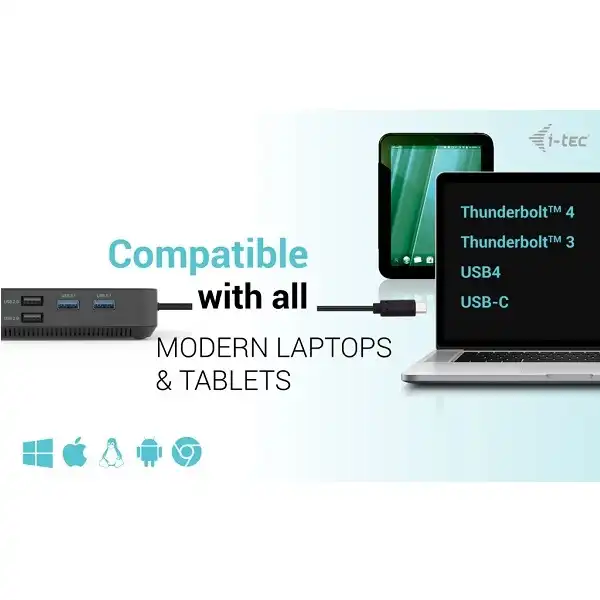
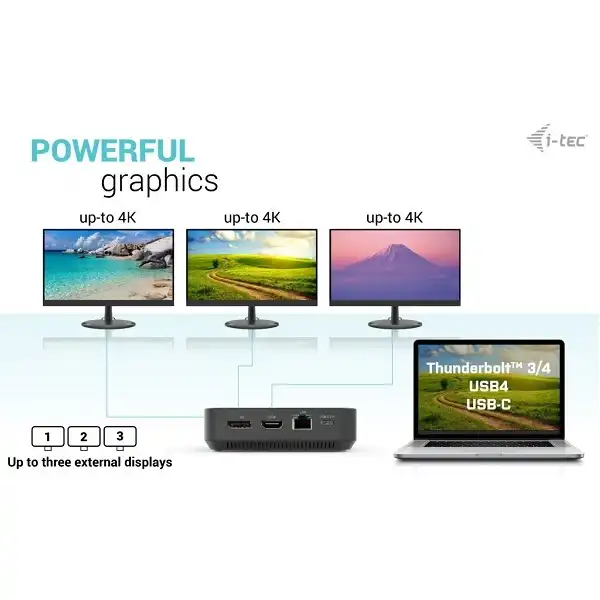
A high-performance USB-C office dock that supports up to 3x external 4K monitors. The dock is compatible with any laptop equipped with a USB-C, USB4 or Thunderbolt 3/4 port. Of course, it supports charging of your laptop or tablet, up to 100 W.
The integrated latest DP 1.4 DSC protocol also supports 5K/60 Hz resolution, which can be appreciated by professional graphic designers, data analysts, film editors or high-definition video lovers.
The dock can be purchased in two variants:
1. without the included USB-C charging adapter (product code C31TRIPLE4KDOCKPDPRO)
2. with the included 100W adapter (this variant)
Note: macOS operating system does not support Multi-Stream Transport (MST) video transfer technology, which means that if connected to macOS, the same image will be projected on both connected monitors.
Connect up to three external 4K/30Hz monitors
Refresh rate up to 360Hz (when connected to a single 1080p monitor)
Power delivery: up to 100W
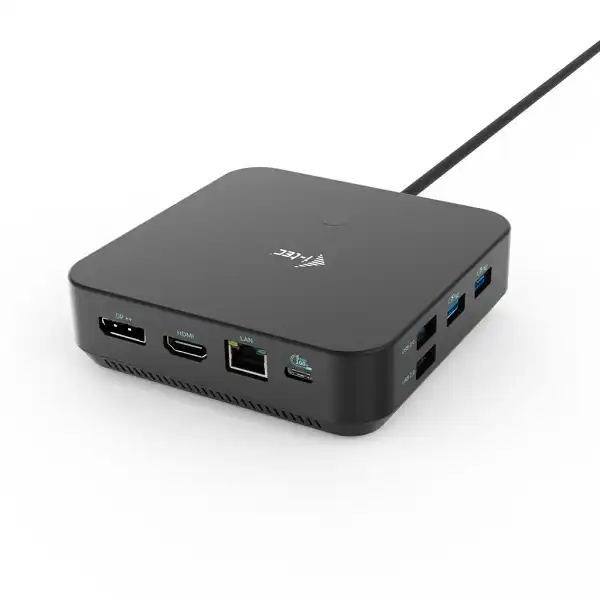
1x HDMI, 2x DisplayPort++
3x USB 3.1, 1x USB-C 3.2 Gen2 (10 Gbps) and 2x USB 2.0 allow you to connect your USB devices and peripherals easily. Gigabit Ethernet RJ-45 provides a reliable, robust and high-speed
Internet connection with 10/100/1000 Mbps support
Combination audio and microphone jack on the front panel
Kensington lock provides anti-theft protection, especially in shared office environments or public areas
The docking station power switch allows for maximum power savings
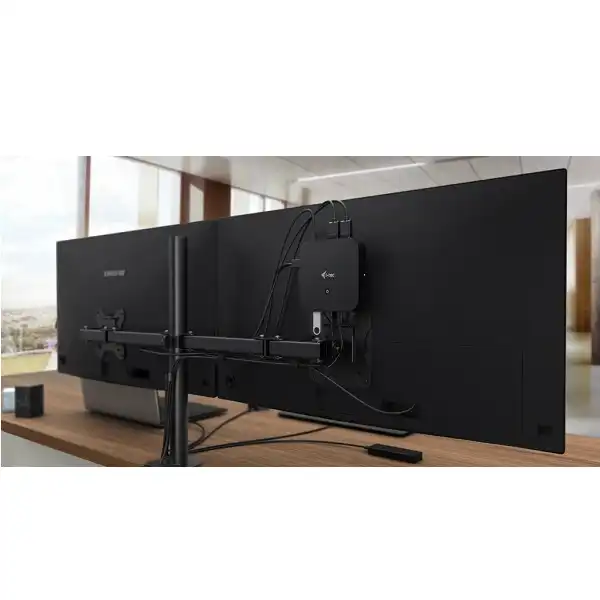
The docking station supports a VESA mount for smart vertical installation behind a VESA-enabled monitor
Supports Windows 10, macOS, Android, iPadOS, ChromeOS and Linux
The dock can be used without a power adapter connected. In this case, the video outputs, LAN (RJ-45), audio/mic and both USB 2.0 ports will always be functional. However, the USB 3.0 ports and the USB-C data port may not work when connecting devices with higher power requirements (e.g. SSDs, especially NVMe drives). In this case, the docking station may shut down. We recommend using the docking station with a power adapter to ensure that all ports are used and that maximum data transfer speeds are achieved. (The adapter is included in the package).
Note: If connected to an Android device, the dock will only work with the power adapter connected. (Adapter included).
Product Specifications
Docking station:
1x integrated USB-C cable for connection to devices (100 cm)
Docking station technology: USB-C (MST)
Power Delivery: up to 100 W
Internal power consumption: 5-10W (more info here)
Video Ports: 2x DisplayPort (supports DP++), 1x HDMI
Resolution:
Host device with DisplayPort 1.2 support:
1 monitor – 1x HDMI or DP→ up to 4K/30Hz
1 monitor – 1x HDMI or DP → up to 1080p/120Hz
2 monitors – 1x DP + 1x HDMI → up to 2x 1080p/60Hz*
2 monitors – 2x DP → up to 2x 1080p/60Hz*
3 monitors – 1x HDMI + 1x DP + 1x DP → up to 1x 1080p/60Hz + up to 2x 720p/60Hz*
Host device with DisplayPort 1.4 support:
1 monitor – 1x HDMI → up to 4K/60Hz
1 monitor – 1x DP → up to 4K/60Hz
2 monitors – 1x DP + 1x HDMI → up to 2x 1440p/60Hz*
2 monitors – 1x DP + 1x HDMI → up to 2x 4K/30Hz*
2 monitors – 2x DP → up to 2x 4K/30Hz*
3 monitors – 1x HDMI + 1x DP + 1x DP → up to 3x 1080p/60Hz*
Host device with DisplayPort 1.4 with DSC support:
1 monitor – 1x HDMI → up to 4K/60Hz
1 monitor – 1x DP → up to 5K/60Hz
1 monitor – 1x HDMI → up to 1440p/144Hz or 1080p/240Hz
1 monitor – 1x DP → up to 4K/144Hz or 1440p/240Hz or 1080p/360Hz
2 monitors – 1x DP + 1x HDMI → up to 2x 4K/60Hz*
2 monitors – 1x DP + 1x HDMI or DP → up to 2x 1440p/144Hz*
3 monitors – 1x HDMI + 1x DP + 1x DP → up to 3x 4K/30Hz*
1x USB-C 3.2 Gen. 2 port (10 Gbps)
1x USB-C 3.2 port Gen. 2 (10 Gbps) + PD (Power delivery)
3x USB-A 3.2 port Gen. 1 port (5 Gbps)
2x USB 2.0 port
1x Ethernet GLAN RJ-45 port
1x 3.5 mm Combo Audio port
LED indication
ON/OFF switch to turn the docking station on and off
MAC Address cloning: Yes (using i-tec Docker Pro software)
WOL: S1, S2, S3
Support for Kensington lock
OS: Windows 11, Windows 10, macOS*, iPadOS**, Android**, Chrome OS and Linux with latest updates
Product dimensions: 113 x 113 x 31.2 mm
Product weight: 340 g
Package dimensions: 250 x 242 x 50 mm
Charger:
Universal 100 W USB-C power adapter for powering laptops, tablets, smartphones and other devices equipped with a USB-C charging port
Input voltage AC 100-240 V, 50-60 Hz, max. 2.3 A
Output power (max.): 100 W
Efficiency: more than 86 %
USB-C output voltage: DC 5 V / 9 V / 12 V / 15 V / 19 V / 20 V
USB-C output current: max. 5A
Protection against current overload, overvoltage, short circuit and overheating.
Operating temperature: 0 °C – 40 °C
Relative humidity: 10 % – 100 %
* The macOS operating system does not support Multi-Stream Transport (MST), which means that when connected to macOS, the same image will be projected on all connected monitors.
** iPad OS and Android do not support multi-screen video transport technology, nor the extended screen option. This means that only the mirrored screen will be displayed when connected to an external monitor. (Not valid for androids with DEX and Easy Projection extension)
The dock can be used without a power adapter connected. In this case, the video outputs, LAN (RJ-45), audio/mic and both USB 2.0 ports will always be functional. However, the USB 3.2 ports and the USB-C data port may not work when connecting devices with higher power requirements (e.g. SSDs, especially NVMe drives). In this case, the docking station may shut down. We recommend using the docking station with the power adapter connected to ensure that all ports are used and that maximum data transfer speeds are achieved.
Note: If connected to an Android device, the dock will only work with the power adapter connected. The adapter is included in the package.
Hardware Requirements:
A device with a free USB-C, USB4 or Thunderbolt™ 3/4 port
Power Delivery Requirements:
A device with a free USB-C, USB4 or Thunderbolt™ 3/4 port with Power Delivery support
Video Output Requirements:
A device with a free USB-C or USB4 port with DisplayPort Alternate Mode support or a Thunderbolt™ 3/4 port
Operating System:
Windows 10 / 11, macOS*, iPadOS**, Android**, Chrome OS and Linux with latest updates
* macOS does not support Multi-Stream Transport (MST) technology. Connecting two monitors to the station on macOS will result in both monitors showing the same image.
** iPad OS and Android do not support multi-screen video transfer technology, nor the extended screen option. This means that only the mirrored screen will be displayed when connected to an external monitor. (Not valid for androids with DEX and Easy Projection extension)
Please login to leave your feedback
There have been no reviews for this product yet.Related products





Below are the products that you have recently viewed

Pokémon Legends: Arceus SteelBook Only (Nintendo Switch)

Nacon Splatoon 3 Deluxe Travel Case for Nintendo Switch




Eiyuden Chronicle: Hundred Heroes (Nintendo Switch)

Arthur and the Invisibles (PS2)
Contact Info
- Address: UKSoftwaretech ltd, 6 Roffey Close, Purley. Surrey, CR8 4BH
- Phone: 08712887049 (Calls cost 13ppm plus your network access charge)
- Email: [email protected]
